Pi-Hole showing only one client address

I recently set up a Pi-Hole in a Docker container, and was running into an issue where my top client was 172.24.0.1. My only client really.
So, naturally, I searched online and found that people were suggesting adding network: host in my compose file instead of mapping ports. Of course, that didn't work because my pi-hole wanted port 80 all to itself to run the admin UI, something my reverse proxy didn't appreciate.
Turns out, there's an easy fix for that too: WEB_PORT: 8086
# More info at https://github.com/pi-hole/docker-pi-hole/ and https://docs.pi-hole.net/
services:
  pihole:
    container_name: pihole
    image: pihole/pihole:latest
    # For DHCP it is recommended to remove these ports and instead add:
    network_mode: host
    #ports:
    #  - 53:53/tcp
    #  - 53:53/udp
    #  - 8083:80/tcp
    environment:
      TZ: America/Denver
      WEB_PORT: 8086
      # WEBPASSWORD: 'set a secure password here or it will be random'
      # Volumes store your data between container upgrades
    volumes:
      - ./etc-pihole:/etc/pihole
      - ./etc-dnsmasq.d:/etc/dnsmasq.d
    #   https://github.com/pi-hole/docker-pi-hole#note-on-capabilities
    restart: unless-stopped
networks: {}
Easy enough, but I noticed it was using ips instead of hostnames for some clients.
Turns out you can override that using local dns.
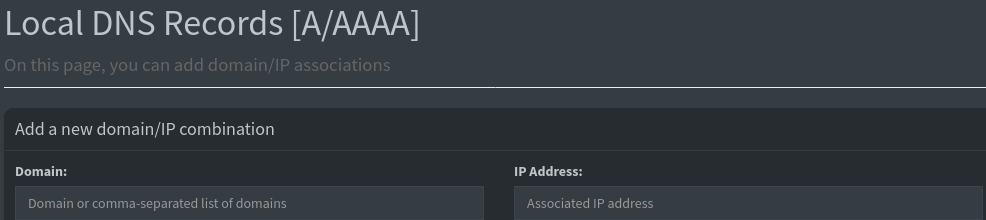
I just add the name of the client in domain and the client IP showing up in the log in IP address.
Smooth sailing so far, although I do wish the hostname in the corner matched the name of the host machine instead of the container...